Ghost Driver Controls
Every input that matters on the PRE-ALPHA highway.
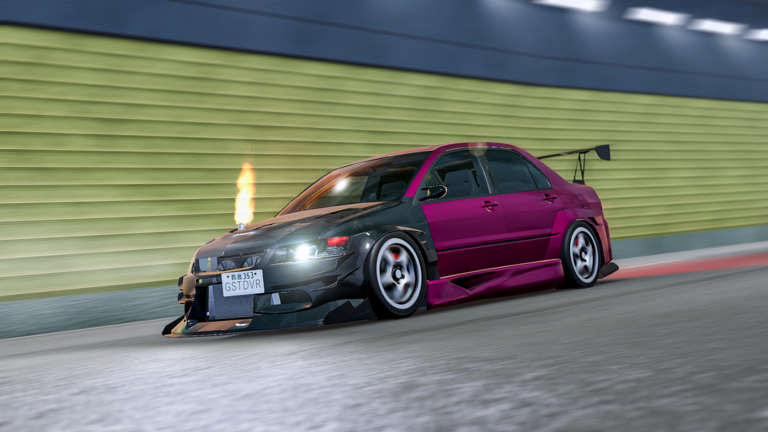
Clean inputs separate a cash-positive run from a respawn loop. Ghost Driver’s control scheme is compact, but PRE-ALPHA physics punish sloppy Shift taps and bad camera choices. Use this page as your reference card.
Default PC controls
| Key | Function | When to use |
|---|---|---|
W / Up | Accelerate | Maintain multiplier speed |
S / Down | Brake / reverse feel | Emergency dump speed before a wall of bumper |
A/D or Left/Right | Steer | Lane changes and traffic cuts |
Shift | Handbrake / drift | Rotate for exits, not for constant sliding |
V | Camera cycle / first person | Swap when third-person depth feels off |
L | Headlights | Night readability and tunnel-like shade |
These bindings match the official experience description from Tilted Vehicles.
Camera strategy
Third person helps you read multiple lanes at once — best for learning. First person increases speed sensation and can help micro-aim through gaps once you already understand spacing. Press V during a quiet straight, never mid-panic cut. More camera habits sit in Traffic Cutting Tips.
Handbrake without spinning
- Enter the turn with modest speed.
- Tap
Shiftto rotate the rear. - Release and power out with
W. - Straighten before the next NPC cluster.
If you hold handbrake too long, you scrub all speed and the cash multiplier dies. Drill this on How to Drift.
Mobile controls
On touch devices you get on-screen steer and camera buttons instead of WASD. Tips:
- Reduce UI clutter so Shop and camera toggles stay hittable.
- Use shorter drift taps; fat-finger
Shiftequivalents over-rotate easily. - Consider a clip-on controller if you plan duel nights.
HUD pieces beginners miss
- Shop (bottom-left) — codes and purchases (How to Redeem).
- Cash counter — proof your route works.
- Challenge / duel prompts — covered in Highway Duels.
Sensitivity and comfort
Roblox camera sensitivity lives in experience/settings menus. Lower sensitivity if first person feels nauseating. Raise it slightly if you cannot peek lanes fast enough in third person. Comfort beats raw flick speed on a traffic highway.
Practice drill (10 minutes)
- Two minutes headlights-on third person, no drift.
- Three minutes gap cutting without
Shift. - Three minutes timed drift exits.
- Two minutes first-person straights only.
Log results in the Beginner Checklist.
Controls + car choice
A twitchy supercar needs calmer hands than a heavy cruiser. After you learn inputs, revisit Best Cars so the machine matches your reaction style.
Related pages
- New players: Getting Started
- Money: How to Earn Cash
- Updates that might rebind UI: Updates Hub
Master the six bindings, then spend mental energy on traffic reading — that is the real skill ceiling.
Steering smoothness beats twitch flicks
Ghost Driver’s traffic rewards early, shallow steering. Snap corrections look dramatic and shove you into the next bumper. Practice drawing long arcs with A/D so your car arrives in a gap already pointed correctly.
Brake as information, not panic
A short S tap can buy the half-second you need to read a truck wall. Full panic braking mid-pack often causes a rear-end from your own momentum change. Combine light brake with a planned lane choice rather than freezing in the original lane.
Controller and keyboard parity
If you switch devices mid-week, re-run the ten-minute drill above. Muscle memory from keyboard Shift taps does not automatically transfer to a trigger or touch drift button. The Beginner Checklist is a good reset ritual after any hardware change.
Accessibility comfort
Raise UI scale if Shop and camera icons collide on small laptops. Lower camera shake or sensitivity if first person induces discomfort. Comfortable drivers earn more than nauseated ones — cash/min cares about survival.
Frequently Asked Questions
Quick answers to the most common questions.
What key drifts in Ghost Driver?
Shift activates handbrake / drift on PC. Tap it; do not hold through the entire corner.
How do I enter first person?
Press V to cycle camera modes until first person appears.
Can I rebind keys?
Use Roblox/in-experience settings when available. This guide documents the default published layout.