Ghost Driver Mobile Controls
Cut traffic cleanly when your wheel is a touchscreen.
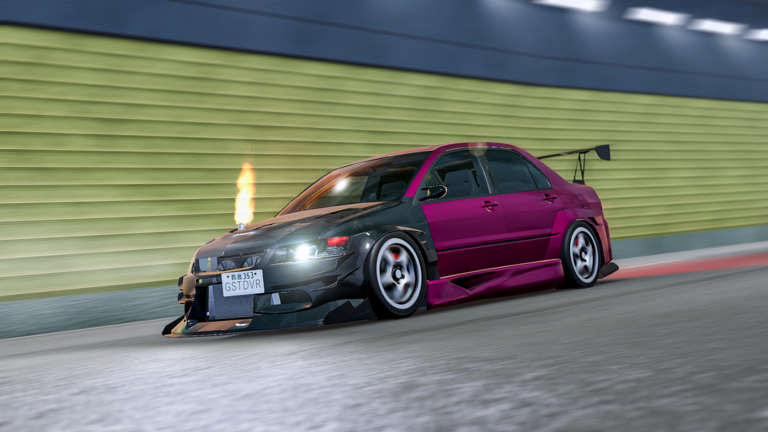
Plenty of Ghost Driver sessions start on a phone. Touch layouts map the same PRE-ALPHA loop — drive, cut, cash, Shop — but fat fingers and tiny Shop buttons create unique failure modes. This page is the mobile companion to the main Controls guide.
What stays the same on mobile
- Traffic-cutting still pays for proximity done cleanly.
- Codes still redeem inside Shop → Rewards / Codes (How to Redeem).
- Camera cycles, headlights, and handbrake exist as on-screen controls instead of
V,L, andShift. - Server size is modest (community listings often cite around 15 players), so duel density can spike quickly.
Touch layout priorities
- Steer zone — keep thumbs low so you do not cover traffic ahead.
- Throttle / brake — prefer smooth pressure over mash tapping.
- Handbrake — short taps only; see How to Drift.
- Camera toggle — change on empty straights, never mid-cut.
- Shop — park mental bandwidth before opening menus.
If icons overlap on a small phone, raise Roblox UI scale in settings and close unused widgets.
Camera on a small screen
Third person usually wins on mobile because you need lane context more than cockpit immersion. First person can help aim a single gap once you already know the pack. Swap cameras the same way PC players press V — during calm asphalt.
Night sessions still benefit from headlights. Toggle them when tunnels or shade crush contrast.
Redeeming codes on mobile
- Launch Ghost Driver and let the car spawn.
- Tap Shop bottom-left.
- Open Rewards / Codes.
- Paste
SORRYFORLATEfrom your keyboard clipboard — do not retype. - Confirm cash moved, then leave the menu before driving.
Typos are the number-one mobile redeem fail. Full troubleshooting lives on Code Troubleshooting.
Mobile cash routes
Phone latency and touch drift make hyper-aggressive cuts riskier. Run slightly wider lines, protect multipliers, and use How to Earn Cash with conservative near-miss goals. Pair with Cash Goals so you are not shopping while steering.
Duels on touch
Only challenge when your crash-free streak is healthy. Declining chaotic invites is smart, not weak — see Highway Duels. If you duel often, a clip-on controller can restore keyboard-like precision without abandoning mobile play.
Performance hygiene
- Close background apps before long grinds.
- Prefer Wi-Fi over unstable mobile data for duel nights.
- Lower graphics if NPC packs stutter — stutter causes phantom steering.
- Take breaks; touch fatigue creates late handbrake holds.
Practice drill (12 minutes)
- Three minutes headlights-on third person, no handbrake.
- Four minutes gentle near-misses.
- Three minutes short drift taps on quiet stretches.
- Two minutes Shop → redeem check → exit menu cleanly.
Log it inside Beginner Checklist.
Related pages
- Desktop bindings: Controls
- First night plan: Getting Started
- Mistakes to avoid: Common Mistakes
- Garage spending: How to Buy Cars
Mobile ghosts win by reading traffic early, not by mashing every on-screen button at once.
Portrait vs landscape
Landscape usually shows more lanes. If you must play portrait, accept slower ambition and longer following distances. Forcing PC cut timing into a narrow portrait HUD is how phones meet bumpers.
Accessibility comfort
Increase text size if Shop labels blur. Reduce motion if camera swaps nauseate you. Comfortable mobile drivers out-earn dizzy ones — cash/min tracks survival, not bravado.
When to switch to PC for a session
Hard duel practice, precise drift drills, and big Shop decisions are easier on keyboard. Use mobile for maintenance grinds and PC for skill ceilings. The wiki routes stay the same either way.
Frequently Asked Questions
Quick answers to the most common questions.
Can I redeem Ghost Driver codes on mobile?
Yes. Open Shop → Rewards/Codes, paste the code, and redeem just like on PC.
Is first person good on phones?
Use it sparingly. Third person usually shows more traffic context on small screens.
Why does my mobile drift spin so much?
Touch handbrake holds run long. Use shorter taps and practice on empty stretches first.